The problem
Updating checklist records required people to navigate several tools. The reporting workflow already existed, but the input step made routine updates more cumbersome than they needed to be.
The task was to improve that entry point while keeping the collected information compatible with the tools used downstream.
What I built
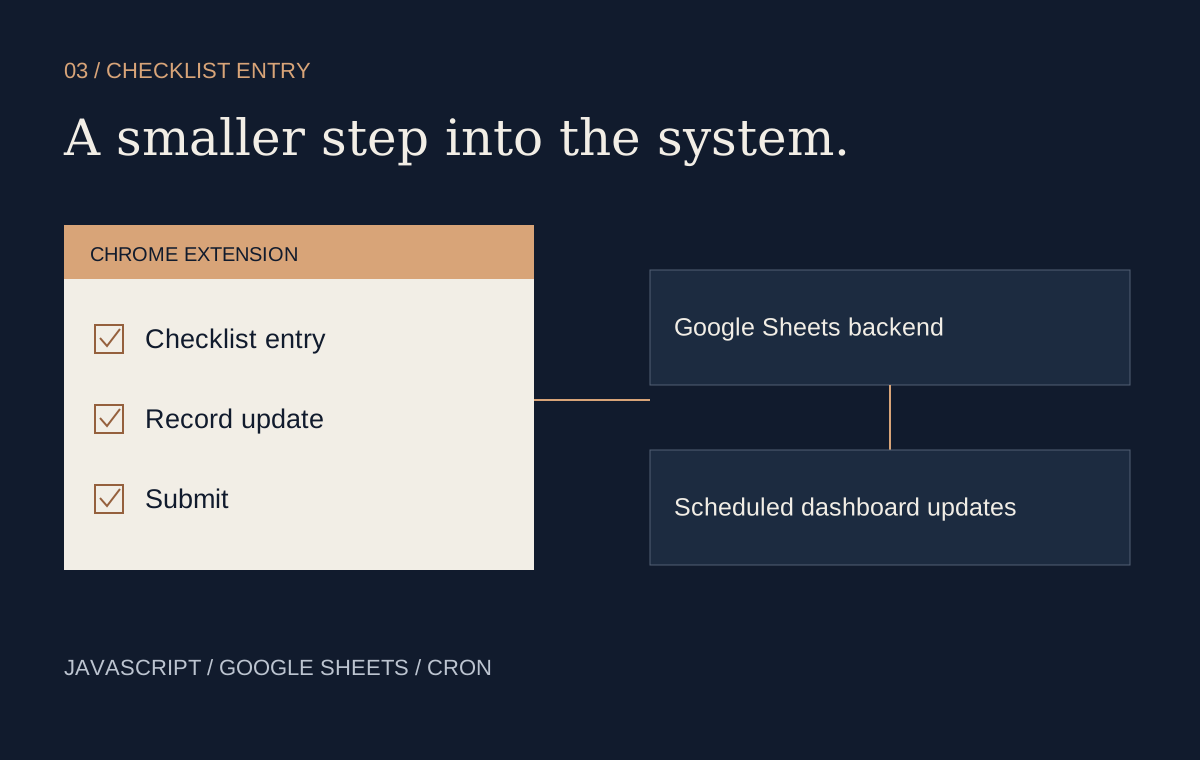
I built a Chrome extension in JavaScript for entering checklist records. It connected to a Google Sheets backend, while scheduled cron jobs updated the existing dashboards.
This separated the interface used to capture an update from the interface used to review it. The browser extension provided the entry point; the shared records and scheduled updates continued to support reporting.
Working with the existing system
The important integration constraint was continuity. A new input tool would be of limited use if its records could not feed the established dashboards. Keeping the reporting workflow in place let the project focus on the part of the process that users encountered during routine entry.
The architecture also makes the update cadence explicit: submitting a record and refreshing a dashboard are separate steps, connected through the scheduled workflow.
Result and scope
The extension simplified checklist entry and kept updates compatible with the existing reporting infrastructure. It was a focused interface improvement connecting everyday input with downstream data use.
This description omits internal checklist fields, business rules and the original operating context. The schematic explains the integration pattern without reproducing the production interface.